


Jakými konektory by měl být vybaven monitor?
Víte, jaké máte konektory na svém monitoru? Náš článek vám poskytne stručný návod k tomu, jak se v nich vyznat. A přidáme i rady, na které konektory se soustředit při výběru nového monitoru.



This 27" LG LCD monitor allows you to work in 4K (3840×2160) resolution, which provides the detailed display crucial for working with demanding visual content. 4K rendering is supported by computers with a suitable graphics card that can handle such a resolution. Its IPS panel has excellent colour reproduction, lower contrast and the image remains of the same quality even when the viewing angle is changed. The IPS panel also has a minimal risk of burn-in, which ensures its long life. It works with a 10-bit colour depth. HDR technology renders many more details with realistic image depth and higher contrast, similar to what the human eye sees. You'll appreciate all this not only when creating a logo and banner, but also when colour grading photos or videos. The anti-reflective surface of the display reduces glare and improves visibility in various lighting conditions. Thanks to the standard 16:9 aspect ratio, you can easily open, for example, a text document with a graphics editor side-by-side and work with windows effectively. The maximum brightness of 400cd/m² improves visibility when working in direct sunlight, but it also means the monitor can be used in showrooms, for example. It can be mounted using a VESA 100×100 mount to a wall or stand. This makes it easy to install multiple monitors in your office.
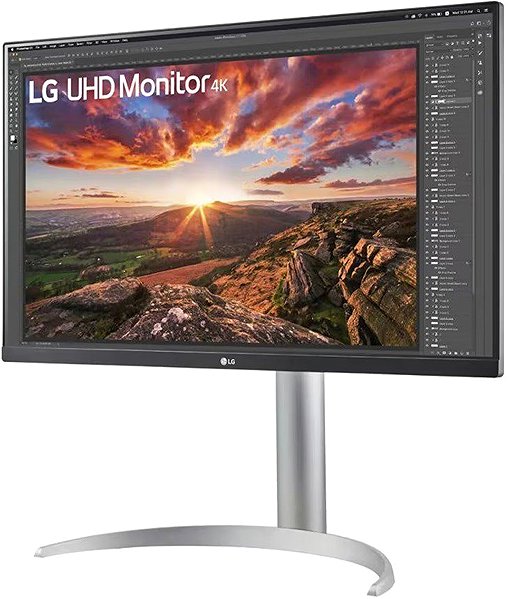
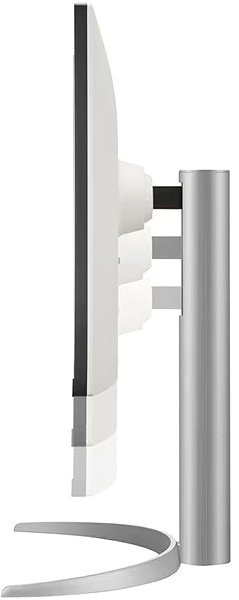
The 27" IPS PC monitor has a flat design that makes it easy to use several monitors at the same time. It features Flicker-free technology, which reduces the monitor's flicker frequency, thus minimising eye fatigue during prolonged viewing. A great feature is the Power Delivery fast charging function via USB-C, which allows you to efficiently charge your tablet, wireless headphones, smartwatch, smaller laptop, smartphone or other small electronics with up to 90W of power. Power Delivery is also safe because the device only gets as much electrical energy as it needs and will not suffer from overvoltage. You can tilt and adjust the monitor to your desired height so that its top side corresponds to eye level, helping to maintain correct posture, thus saving your cervical spine and preventing scoliosis. The ability to tilt the monitor is especially appreciated by people who stand at a desk while working. Thanks to the Pivot function, you can easily rotate the monitor by 90°, which is appreciated by traders, programmers and data analysts working with a spreadsheet editor.
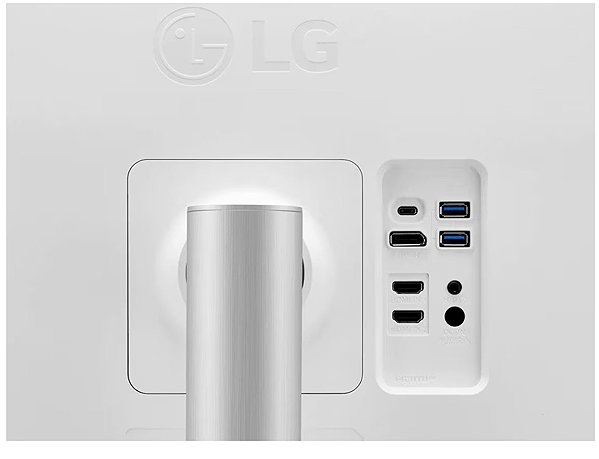
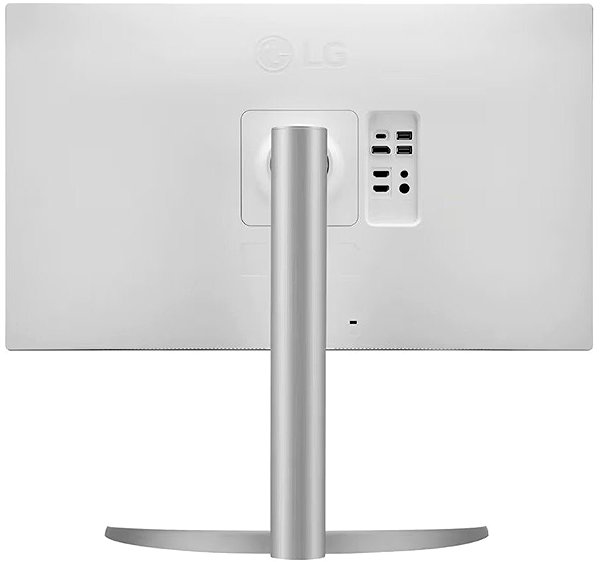
You can connect the monitor to a computer or laptop using HDMI, USB-C and DisplayPort. Connecting the monitor to a laptop via this USB-C provides not only the image but also power to the laptop using the Power Delivery function, so a classic mains charger is not needed. Built-in speakers are a convenient solution for both picture and sound in one device. A Kensington Lock, which uses a steel cable and a lockable mechanism, provides physical protection against theft. In addition to the monitor itself, the package also includes an HDMI, DisplayPort and USB-C cable.
The LG monitor has a native contrast of 1200:1. The native contrast ratio indicates the difference between the brightest and darkest points the monitor can display. If a monitor's contrast ratio is 3000:1, it means that the brightest point (white) is 3000× brighter than the darkest point (black). The Adobe RGB colour coverage shows what percentage of colours from this colour space the monitor can render. It is wider than sRGB and is therefore key for photographers who do complete photo processing. The value can exceed 100%, which means the monitor can display more colours than is usual for the given space. The Adobe RGB colour coverage is 95%. The sRGB colour spectrum has fewer colour shades than Adobe RGB, but it is the colour space used by most standard monitors. This monitor has a 95% sRGB gamut. It does not cover the entire natural colour spectrum, which may not matter when working outside of graphics.
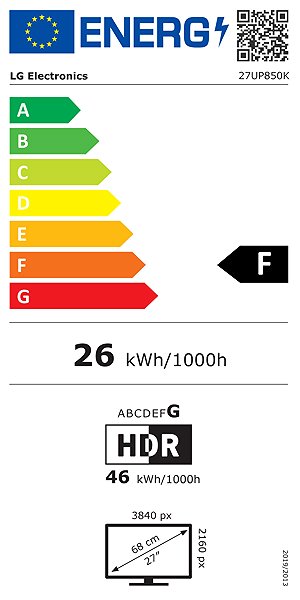
After scanning the QR code, you will be redirected to the European EPREL database, where you will see the display type, the technology used in its production (e.g. LCD, QLED) and other monitor specifications.
27"
95%
95%
HDMI, USB-C and DisplayPort
DisplayPort 1.4 and HDMI 2.0
F
G
0.5W
45.93 × 61.35 × 23.93cm (H×W×D)
5.9kg

LG electronics INC. Alfred-Herrhausen-Allee 3-5, 65760 Eschborn, Germany, [email protected], +49 6196 7883000
Specifications can be changed without notice. Images are for illustrative purposes only.
